The Only 5 Apps I Actually Use (And Why I Deleted Everything Else)
Last week, my tech-savvy colleague Jessica was showing off her phone during lunch. She had three screens full of education apps. "Maria, you HAVE to try this new one," she said, scrolling through what looked like a rainbow of colorful icons. "It gamifies vocabulary AND tracks engagement AND creates parent reports!"
I looked at my phone. Five apps in my education folder. That's it.
Don't get me wrong, I used to be that teacher. In my early years, I downloaded every "game-changing" app that promised to revolutionize my classroom. My phone looked like a digital graveyard of forgotten tools. Half of them I couldn't even remember downloading.
But here's what I learned after two decades in the classroom: more apps don't make you a better teacher. The right apps do.
Why Less Really Is More
Remember when we thought having 47 different reading apps would somehow make us super teachers? Ay, dios mío, what were we thinking?
The truth is, every app you add is another password to remember, another platform to learn, and another thing that can break down right when you need it most. I learned this lesson the hard way during a parent conference when I spent ten minutes trying to log into an app while poor Mrs. Rodriguez waited patiently for her daughter's reading data.
That night, I went through my phone like Marie Kondo in a cluttered closet. Does this app spark joy? More importantly, do I actually use it? If I hadn't opened it in the last month, goodbye.
What remained were five apps that I use almost daily. These aren't the flashiest tools, pero they work, they're reliable, and they actually save me time instead of eating it up.
My Desert Island Apps
1. ClassDojo
I know, I know. Everyone talks about ClassDojo. But there's a reason it's still standing after all these years.
I use it mainly for the parent communication features. When little Marcus (not my son, my student Marcus) finally masters his multiplication tables, I can snap a quick photo and send it to his mom instantly. No waiting until parent-teacher conferences. No trying to remember to write a note home.
The behavior tracking is nice, but honestly? I use it more as a digital portfolio. Parents love seeing their kids' work in real time, especially when many of them are working two jobs and can't always make it to school events.
Pro tip: Set up your phone to automatically back up ClassDojo photos to Google Drive. Trust me on this one. I learned it the hard way when my phone died the week before report cards.
2. Google Classroom
This one's a no-brainer if your district uses Google Workspace. Even if you're not doing full digital lessons, it's perfect for sharing resources with students and parents.
I create a simple weekly folder with homework assignments, spelling lists, and any extra practice sheets. Parents can access everything from home, which means fewer "I lost my homework" conversations.
The best part? When we had to pivot to distance learning (and when half my class was out with that stomach bug last month), everything was already there. No scrambling, no panic.
3. Remind
This app has saved my sanity and probably a few parent relationships too.
I send out a quick reminder every Sunday with the week's important dates: spelling test Tuesday, math quiz Thursday, field trip permission slips due Friday. It takes me five minutes and prevents dozens of Monday morning emails asking "Wait, what's due this week?"
The translation feature is a lifesaver at our school. I can type in English and parents receive messages in Spanish, Haitian Creole, or whatever language they need. No more asking my bilingual colleagues to help translate every message.
4. Flipgrid
Okay, this one might surprise you because it's not exactly a "utility" app. But hear me out.
My fourth graders are still building confidence in speaking up during class discussions. Flipgrid gives them a safe space to practice. They can record their book reports, math explanations, or science observations at their own pace.
Plus, there's something magical about kids seeing themselves as capable speakers. Little Sofia, who barely whispered during our first week, now creates these elaborate video responses complete with props and costume changes.
The parent engagement is unexpected too. Families love seeing these little videos, and suddenly I have parents asking more questions about what we're learning in class.
5. Seesaw
This is my digital portfolio powerhouse. Instead of sending home crumpled papers that get lost in backpacks, I have students photograph their best work and add it to their Seesaw journals.
The voice recording feature is perfect for reading assessments. Students can record themselves reading, and I can listen later when I actually have time to focus. No more trying to squeeze individual reading checks into our already packed day.
Parents get a real window into their child's learning. They see the messy first draft AND the polished final product. They understand the process, not just the grade on the report card.
What Didn't Make the Cut (And Why)
I used to have separate apps for gradebooks, timers, noise meters, random name generators, and about fifteen different math games. Here's why they're gone:
The gradebook app? My district's system works fine, and I don't need another platform to sync.
Timer apps? My phone has a built-in timer. Revolutionary, I know.
Those specialized subject apps? Half of them disappeared from the app store after a year. Nothing like planning a lesson around an app that suddenly doesn't exist.
The Real Secret
Here's what I wish someone had told me fifteen years ago: the best classroom technology is the technology that becomes invisible.
When I'm fumbling with passwords or trying to remember which app does what, I'm not teaching. When my students are confused about which platform to use, they're not learning.
These five apps work because they're simple, reliable, and they solve real problems I face every day. They don't add extra steps to my routine. they eliminate steps.
Making It Work for You
Your five apps might be completely different from mine, and that's perfectly okay. Maybe you love Kahoot for review games, or maybe Padlet works better for your digital portfolios.
The key is being honest about what you actually use versus what you think you should use. That reading app with the cute graphics doesn't help if you never remember to open it.
Start with your biggest daily frustrations. Do you spend too much time on parent communication? Look for tools that streamline that. Are you drowning in paper? Find one good digital portfolio solution.
Then give yourself permission to delete everything else. Your phone's storage will thank you, and so will your stress levels.
Your Turn
What apps have actually earned their place on your phone? I'd love to hear what's working in your classroom. Sometimes the best tech tips come from teachers who've been in the trenches, not from the latest education conference keynote.
And if you're feeling overwhelmed by all the digital tools out there, remember this: we taught amazing lessons with overhead projectors and mimeograph machines. The apps are just tools. You're still the teacher who makes the magic happen.
Now if you'll excuse me, I need to send out this week's Remind message before I forget. Again.
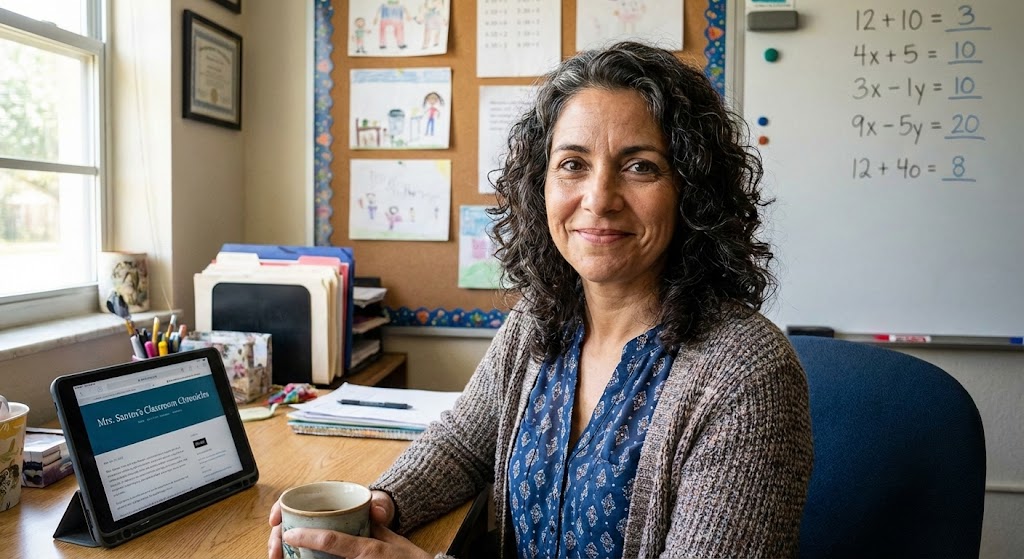
Maria Santos
Maria has been teaching 4th grade in Tampa, Florida for 22 years. Known as "the math whisperer" among her colleagues, she writes about the real challenges and victories of teaching in Florida's public schools.
When she's not grading papers or creating lesson plans, you can find Maria at her local teacher supply store (with coupons in hand) or sharing teaching tips over cafecito with her teacher friends.
View Full Profile →Related Articles
The Digital Mess on My Computer Was Embarrassing (Here's How I Finally Fixed It)
Classroom tech tip: Last spring, a new teacher at my school named Brittany asked if she could borrow...
The Only 5 Apps I Actually Use (And Why I Deleted the Other 47)
Classroom tech tip: Last week, I was cleaning out my phone and realized I had downloaded 52 educatio...
Ready to Improve Your FAST Scores?
Upload your class data and get personalized IXL success plans in seconds.
Try It Free