The Only 5 Apps I Actually Use (And Why Most Ed Tech Ends Up Deleted)
Let me tell you something about my phone. Right now, I have 127 apps downloaded. But you know how many I actually use for teaching? Five. Cinco. That's it.
The rest are just digital clutter taking up space, kind of like that drawer in my classroom where broken staplers go to die. Every year, some enthusiastic presenter at a PD session convinces me to download the "game-changing" app that will "revolutionize my classroom." And every year, I end up deleting most of them by October.
So today, I'm sharing the five apps that have earned permanent real estate on my home screen. These aren't the flashiest tools, but they're the ones I reach for when I'm juggling 28 fourth graders and a million other things.
1. ClassDojo (For Communication That Actually Works)
I was late to the ClassDojo party. For years, I thought it was just another behavior chart dressed up in cartoon characters. Ay, how wrong I was.
The real magic isn't the points system (though my kids do love earning those). It's the communication with parents. I can send a quick message to Isabella's mom about her amazing work in math, or share a photo of our science experiment with the whole class. No more playing phone tag or hoping my note makes it home in a backpack.
Pro tip: Use the translation feature. It's been a lifesaver for communicating with my Spanish-speaking families. The translations aren't perfect, but they're good enough to get the important stuff across.
2. Google Drive (Because Papers Get Lost, Files Don't)
Remember when we used to make 30 copies of everything? Those days are gone, mija. Google Drive is where I store every worksheet, rubric, and lesson plan. When little Marcus spills his juice box all over his math packet (and trust me, it happens), I can print a new one in seconds.
But here's the real reason it made my list: collaboration. When my teammate Yolanda and I plan our science unit, we can work on the same document from our respective couches. No more emailing files back and forth or trying to remember who has the latest version.
Pro tip: Create a "Quick Access" folder with your most-used materials. I keep my weekly newsletter template, hall passes, and emergency sub plans right there.
3. Remind (For the Messages That Can't Wait)
Parents are busy. I get it. Between work, after-school activities, and life in general, it's easy to miss important school announcements. That's where Remind comes in.
When we have early dismissal for a hurricane warning (because this is Florida, and Mother Nature has her own schedule), I can send a message to all my families instantly. No more worrying that someone didn't get the robocall or lost the paper notice.
The best part? Parents can respond if they need to, but they can't see other families' information. It's like having a direct line to everyone without the chaos of a group chat.
Pro tip: Set boundaries from day one. I tell parents that Remind is for school announcements and quick questions, not for lengthy conversations. Those still need to happen via email or in person.
4. Seesaw (Student Portfolios Made Simple)
I'll be honest, I resisted digital portfolios for the longest time. There's something special about those manila folders stuffed with student work. But Seesaw changed my mind.
Now when Aiden creates an amazing story or Sofia solves a tricky math problem, they can record themselves explaining their thinking. The pride in their voices when they share their work? Priceless.
Parents love it too. Instead of just seeing the final product, they get to hear their child's thought process. It's like having a window into our classroom, even when they can't be there.
Pro tip: Teach students to reflect, not just share. I give them sentence starters like "This was challenging because..." or "I'm proud of this work because..." It makes their posts so much more meaningful.
5. My Timer (Because Time Management Is Everything)
This one isn't fancy or educational, but it's essential. I use timers for everything: transition time, work periods, brain breaks, you name it. Visual timers help my students know exactly how much time they have left, which cuts down on the "How much longer?" questions.
The app I use is literally called "My Timer" and it's nothing special. But it's reliable, and sometimes that's all you need.
Pro tip: Give a two-minute warning before any timer goes off. It helps kids mentally prepare for the transition instead of being jarred by the sudden change.
The Apps That Didn't Make the Cut (And Why)
Before you ask, yes, I've tried the popular ones. Kahoot is fun but too chaotic for my classroom management style. Flipgrid was great until it got discontinued (RIP). And don't get me started on the apps that require every student to have a device when half my kids share tablets.
I also use a few web-based tools that aren't technically apps but deserve honorable mentions. FastIXL has been super helpful for turning my FAST assessment data into targeted IXL practice for each student. It saves me hours of trying to figure out which skills each kid needs to work on.
The Real Secret to Ed Tech Success
Here's what I've learned after two decades of trying every tool under the sun: the best technology is the one you'll actually use consistently. It doesn't matter if an app has 47 amazing features if you can't figure out how to use three of them.
Start small. Pick one tool and master it before moving on to the next. And please, por favor, don't feel like you need to use technology just because it exists. Sometimes a pencil and paper are still the best tools for the job.
Your Turn
What apps have earned permanent spots on your phone? I'm always looking for tools that solve real classroom problems (not just the ones that look impressive in presentations). Drop me a line and let me know what's working for you.
Remember, we're not trying to be tech gurus. We're trying to be great teachers who happen to use technology when it makes our lives easier. There's a big difference between the two.
And if you're feeling overwhelmed by all the digital options out there, take a deep breath. You don't need 50 apps to be an effective teacher. Sometimes five is more than enough.
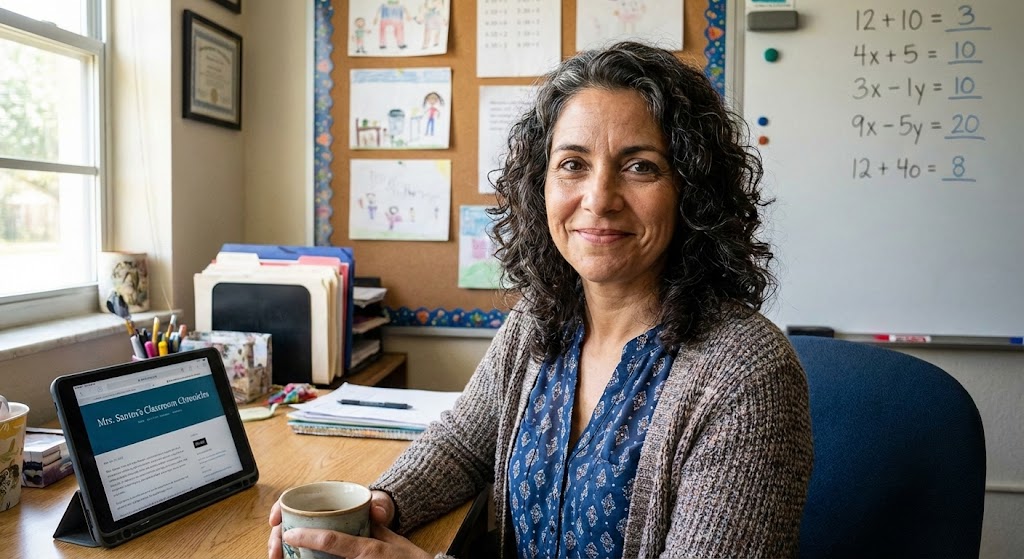
Maria Santos
Maria has been teaching 4th grade in Tampa, Florida for 22 years. Known as "the math whisperer" among her colleagues, she writes about the real challenges and victories of teaching in Florida's public schools.
When she's not grading papers or creating lesson plans, you can find Maria at her local teacher supply store (with coupons in hand) or sharing teaching tips over cafecito with her teacher friends.
View Full Profile →Related Articles
The Digital Mess on My Computer Was Embarrassing (Here's How I Finally Fixed It)
Classroom tech tip: Last spring, a new teacher at my school named Brittany asked if she could borrow...
The Only 5 Apps I Actually Use (And Why I Deleted the Other 47)
Classroom tech tip: Last week, I was cleaning out my phone and realized I had downloaded 52 educatio...
Ready to Improve Your FAST Scores?
Upload your class data and get personalized IXL success plans in seconds.
Try It Free