Digital Organization That Actually Sticks (Because We Don't Have Time for Pretty Systems That Fall Apart)
Last Tuesday, I spent my entire lunch break looking for a lesson plan I knew I had saved somewhere. Was it in Google Drive? My desktop? That random folder I created in a panic during virtual learning? Twenty-three minutes later, I found it buried in a folder called "Stuff" inside another folder called "Random."
Ay, dios mio. I'm supposed to be teaching kids about organization.
Here's the thing about digital organization, we tell ourselves we'll create these beautiful, color-coded systems that would make Marie Kondo weep with joy. Then reality hits. Parent emails pile up, lesson plans multiply, and suddenly our digital life looks like my classroom after a substitute teacher.
But I've learned something in my 22 years of teaching: the best organizational system is the one you'll actually use when you're tired, stressed, and have seventeen things due tomorrow.
Start With What You Actually Touch Every Day
Forget about organizing everything at once. That's like trying to clean your entire house when you can barely keep up with the dishes.
Instead, pick the three digital spaces you use most. For me, it's my email, Google Drive, and desktop. That's it. Everything else can wait.
I learned this the hard way after spending an entire weekend in 2019 creating an elaborate folder system for every possible document I might ever need. It was gorgeous. It lasted exactly two weeks before I started dumping everything into a folder called "To Sort Later."
Spoiler alert: later never came.
The "Good Enough" Folder System
Here's my current system, and it's not Pinterest-worthy, but it works:
For Google Drive: - This Year (everything for the current school year) - Archive (everything from previous years) - Personal (non-work stuff) - Shared (anything I collaborate on)
That's it. Four folders. When I'm rushing to save a document between classes, I don't have to think. It goes in "This Year" and I can sort it later if needed.
Inside "This Year," I keep it simple: - Lesson Plans - Student Data - Admin Stuff - Resources
My colleague Yolanda has a different system that works for her. She organizes by subject first, then by type of document. The key isn't copying someone else's system, it's finding what makes sense to your brain when you're operating on three hours of sleep.
Email: The Monster That Eats Teachers Alive
Let's be honest, teacher email is where organization goes to die. Between parent communications, administrative updates, and that one vendor who somehow got your email address, it's chaos.
Here's what actually works:
Set up three folders: - Action Needed (stuff you have to respond to) - Waiting (things you're waiting for responses on) - This Week (everything else that's current)
Every Friday, archive everything in "This Week" to a folder for that month. If you haven't needed it by Friday, you probably won't.
I also have a "Parent Communications" folder because, let's face it, sometimes you need to go back and check exactly what you said about little Johnny's math homework three weeks ago.
The Desktop Disaster Zone
My desktop used to look like a digital tornado hit it. Screenshots, downloaded worksheets, random PDFs, that picture of my lunch I was going to post on Instagram but never did.
Now I keep exactly five things on my desktop: - A "Current Projects" folder - A "Downloads to Sort" folder - Shortcuts to my most-used programs - This week's lesson plan template - A cute picture of my kids (because even teachers need motivation)
Everything else gets filed immediately or goes into "Downloads to Sort," which I clean out every Sunday while watching Netflix.
The Sunday Reset That Changed Everything
Speaking of Sundays, here's the habit that actually made my digital organization stick: the 15-minute Sunday reset.
Every Sunday evening, I spend exactly 15 minutes (I set a timer) doing these things: - Empty my "Downloads to Sort" folder - Archive last week's emails - Delete screenshots I don't need - Update my lesson plan template for the coming week
That's it. Fifteen minutes. Not an hour, not all afternoon. Just enough to start Monday feeling like I have my act together.
Phone Organization for Real Teachers
Let's talk about our phones, because that's where half our teaching life lives now. Between classroom management apps, communication tools, and the 47 photos you took of student work, it's a mess.
I organize my teaching apps into two folders: "Daily Use" (things I need during the school day) and "Sometimes" (everything else). Revolutionary, right?
The key is putting your most-used apps on your main screen. For me, that's email, Google Drive, my gradebook, and the camera (because documentation is life in education).
What to Do When It All Falls Apart
Because it will. You'll get busy, stressed, or distracted, and suddenly your beautiful system will crumble faster than a sandcastle at high tide.
And that's okay.
The goal isn't perfection. The goal is having a simple enough system that you can get back on track quickly. When my organization falls apart (and it does, regularly), I don't try to fix everything at once. I just start with today's stuff and work forward.
Tools That Actually Help (Without Breaking the Bank)
You don't need fancy apps or expensive software. Google Drive, basic folders, and a simple email system will handle 90% of what we need.
But if you want to level up, here are tools that actually earn their keep: - A simple note-taking app for quick thoughts (I use Google Keep) - A basic task manager (even your phone's built-in reminders work) - Cloud storage with automatic sync (because computers crash at the worst possible moments)
Making It Stick When Life Gets Crazy
The real test of any organizational system is how it holds up during FAST testing season, parent conference week, or when you're covering for three absent teachers.
That's why simple wins every time. When you're overwhelmed, you need systems that work on autopilot, not ones that require careful thought and perfect execution.
Build habits around the moments when you're already at your computer. When you first sit down in the morning, spend two minutes filing yesterday's downloads. When you're about to shut down for the day, take 30 seconds to clear your desktop.
Small actions, done consistently, beat grand organizational overhauls every single time.
Remember, we're teachers, not professional organizers. Our job is to educate kids, not maintain perfect digital filing systems. The best organizational system is the one that gets out of your way so you can focus on what really matters: helping our students learn and grow.
What's your biggest digital organization challenge? I'd love to hear what's working (or not working) for you. Because honestly, we're all figuring this out together, one messy folder at a time.
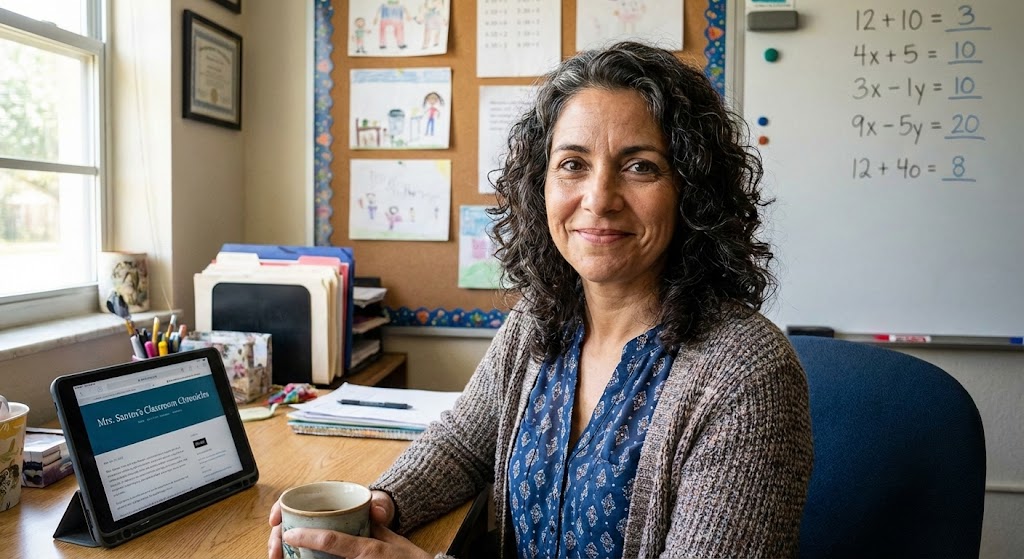
Maria Santos
Maria has been teaching 4th grade in Tampa, Florida for 22 years. Known as "the math whisperer" among her colleagues, she writes about the real challenges and victories of teaching in Florida's public schools.
When she's not grading papers or creating lesson plans, you can find Maria at her local teacher supply store (with coupons in hand) or sharing teaching tips over cafecito with her teacher friends.
View Full Profile →Related Articles
The Digital Mess on My Computer Was Embarrassing (Here's How I Finally Fixed It)
Classroom tech tip: Last spring, a new teacher at my school named Brittany asked if she could borrow...
The Only 5 Apps I Actually Use (And Why I Deleted the Other 47)
Classroom tech tip: Last week, I was cleaning out my phone and realized I had downloaded 52 educatio...
Ready to Improve Your FAST Scores?
Upload your class data and get personalized IXL success plans in seconds.
Try It Free