The Only 5 Apps I Actually Use (And Why Most Others Collect Digital Dust)
Last week, my principal asked me to present at our faculty meeting about "essential educational apps." I laughed out loud. Mija, I have exactly five apps on my phone that I use regularly for teaching, and three of them aren't even education-specific.
Don't get me wrong. I've downloaded dozens of apps over the years. My phone graveyard is full of colorful icons promising to revolutionize my classroom. But here's what I've learned after two decades of teaching: if an app doesn't solve a real problem in under 30 seconds, it's not going to survive the chaos of our daily lives.
So let me share the five apps that have actually earned their keep. These are the ones I reach for when I'm juggling 28 fourth graders, three IEPs, and a broken air conditioner in September.
1. ClassDojo (The One Everyone Knows)
I resisted ClassDojo for years. It felt too much like digital sticker charts, and honestly, I was managing behavior just fine with my old-school methods.
But then came the year I had Marcus T. (not my son, different Marcus). Sweet kid, but he could turn my organized classroom into a tornado zone in about 3.5 seconds. Traditional behavior management wasn't clicking with him.
ClassDojo changed everything. Not because of the points system, but because of the communication piece. Marcus's abuela could see the positive messages I sent home every day. She started celebrating his small wins, and he started believing he could have good days at school.
What makes it stick: The parent communication is seamless. I can send a quick message while kids are lining up for lunch, and parents actually respond. Plus, the behavior data helps me spot patterns I might miss otherwise.
2. Google Keep (My Digital Brain)
This isn't an education app, but ay, dios mio, it's saved my sanity more times than I can count.
I use Google Keep for everything. Lesson ideas that hit me at 10 PM. Shopping lists for classroom supplies. Photos of bulletin boards I want to recreate. Voice memos when I'm driving home and remember something important for tomorrow's parent conference.
The best part? It syncs everywhere. I can jot down a note on my phone during lunch duty and pull it up on my laptop during planning.
Pro tip: Use the location reminders. I set reminders for when I get to Target so I don't forget those dry erase markers I desperately need.
3. Remind (The Parent Communication Game-Changer)
Before Remind, parent communication was a nightmare. Phone calls that went to voicemail. Paper notes that never made it home. Emails that got buried in spam folders.
Remind solved all of that. I can send a quick message to all parents about tomorrow's field trip, or reach out to just one family about a concern. Parents can respond, but they can't see each other's phone numbers or flood me with messages at all hours.
What I wish I'd known sooner: You can schedule messages in advance. Sunday afternoons, I'll set up my reminders for the whole week. Game changer.
4. Scanner Pro (The Paper Tamer)
I know, I know. Another non-education app. But hear me out.
We're drowning in paper, aren't we? Permission slips, work samples for portfolios, that amazing worksheet your colleague shared that you need to copy later. Scanner Pro turns my phone into a copy machine.
I scan everything now. Student work for portfolios. Important documents for my files. Even my own handwritten lesson plans so I have a backup.
Time-saver alert: Use it during parent conferences. When parents show me work from home, I can scan it instantly and add it to the student's digital portfolio.
5. IXL (With a Little Help from a Friend)
Okay, this one might be controversial. I know IXL gets mixed reviews, but it works for my kids. The immediate feedback helps, and I can see exactly where each student is struggling.
Here's my secret though: I use this tool called FastIXL that matches my FAST scores to specific IXL skills. Instead of guessing which skills my kids need, I get targeted recommendations based on their actual assessment data. It's been a huge time-saver.
The key to making IXL work: Don't use it as busy work. I assign specific skills based on what I'm seeing in class or what the data tells me. Quality over quantity, always.
What About All Those Other Apps?
Trust me, I've tried them all. The flashcard apps, the virtual manipulatives, the classroom management systems that promised to change my life. Most of them ended up deleted within a month.
Here's why these five survived:
They solve real problems. Not theoretical problems that sound good in professional development sessions, but actual daily challenges we face.
They're simple. If I need a tutorial longer than five minutes, it's not going to work in my real classroom with real interruptions every 30 seconds.
They save me time. This is non-negotiable. If an app creates more work than it eliminates, it's gone.
My kids can use them too. Well, except for Google Keep and Scanner Pro. But the others? My fourth graders figured them out faster than I did.
The App Graveyard Lessons
Let me save you some time and phone storage. Here are the apps I've tried and abandoned:
Digital gradebooks that were more complicated than my paper gradebook. Classroom timers that my kids ignored. Elaborate lesson planning apps that took longer to use than just writing things down.
The pattern? They tried to solve problems I didn't actually have, or they made simple tasks unnecessarily complex.
My Advice? Start Small
If you're feeling overwhelmed by all the educational technology out there, start with just one app. Pick the biggest pain point in your day and find one tool that addresses it.
For me, that first app was ClassDojo, and only because I was desperate to improve communication with parents. Everything else came later, one problem at a time.
Don't feel pressure to use every app your colleagues love. We all have different teaching styles and different challenges. What works in Sarah's classroom might be completely wrong for yours.
The Bottom Line
After 22 years of teaching and countless apps downloaded and deleted, I've learned this: the best educational technology is the technology you actually use.
Five apps might seem like nothing compared to those teachers who have three pages of education apps on their phones. But these five apps solve real problems for me every single day. They've earned their place by making my life easier, not more complicated.
What about you? What apps have actually stuck around on your phone? I'd love to hear what's working in your classroom. We're all in this together, and the best recommendations always come from teachers who are in the trenches with us.
Now if you'll excuse me, I need to use Scanner Pro to capture that amazing anchor chart my teammate just showed me. See? These apps really do work.
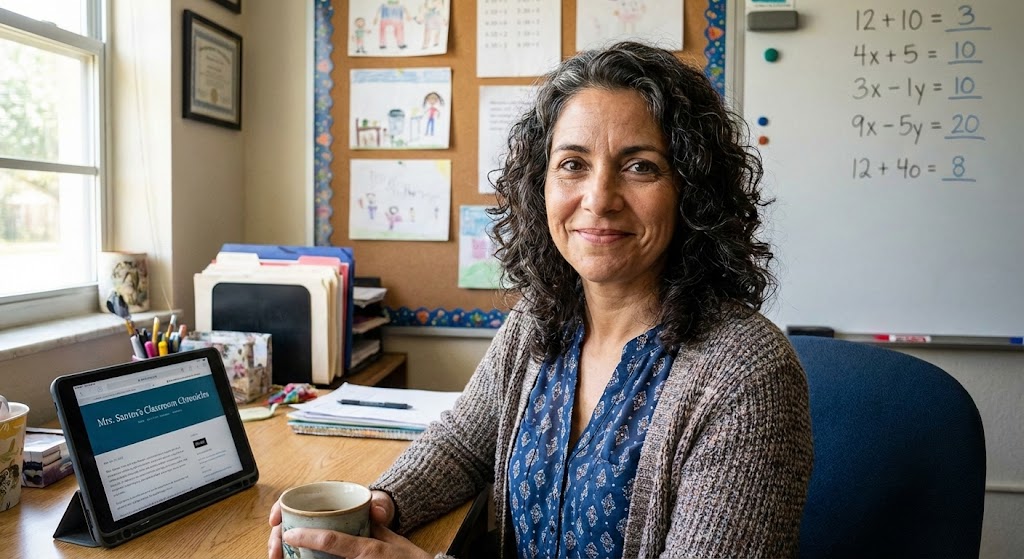
Maria Santos
Maria has been teaching 4th grade in Tampa, Florida for 22 years. Known as "the math whisperer" among her colleagues, she writes about the real challenges and victories of teaching in Florida's public schools.
When she's not grading papers or creating lesson plans, you can find Maria at her local teacher supply store (with coupons in hand) or sharing teaching tips over cafecito with her teacher friends.
View Full Profile →Related Articles
Digital Organization That Actually Sticks (Finally!)
Classroom tech tip: Last Tuesday, I watched my colleague Jennifer frantically clicking through seven...
Why I'm Not on Teacher TikTok (And That's Perfectly Okay)
Classroom tech tip: Last week, my daughter Daniela called me from college laughing. "Mom, I just saw...
Ready to Improve Your FAST Scores?
Upload your class data and get personalized IXL success plans in seconds.
Try It Free