Digital Organization That Actually Sticks (Finally!)
Last Tuesday, I watched my colleague Jennifer frantically clicking through seventeen different browser tabs, three Google Drive folders, and two desktop folders trying to find her reading assessment data. She looked like she was about to cry.
"Maria, where did I put that spreadsheet? I know I saved it somewhere!"
Ay, dios mio. We've all been there, haven't we?
I used to be the queen of digital chaos. Files scattered everywhere, screenshots cluttering my desktop, important emails buried under a mountain of district announcements. My husband Carlos would peek over my shoulder and shake his head. "Mija, your computer looks like our junk drawer exploded."
He wasn't wrong.
But after years of losing precious planning time to digital treasure hunts, I finally figured out a system that actually works. Not some complicated, Pinterest-perfect setup that requires a computer science degree. A real system for real teachers who barely have time to eat lunch, much less reorganize their entire digital life.
Start With Your Desktop (Seriously, Right Now)
Your desktop should not look like a digital hurricane hit it. I know, I know. Mine used to have 47 screenshots, random PDFs, and files named things like "IMPORTANT THING" and "MATH STUFF FINAL FINAL."
Here's what changed everything for me: I created just four folders on my desktop.
Today's Work - Anything I'm actively using goes here. At the end of each day, I file everything away. Think of it as your digital staging area.
This Week - Lesson plans, assessments, or projects I'll need in the next few days.
To Sort - Screenshots, downloads, random files that need a permanent home later. Better than cluttering your desktop.
Quick Access - Your most-used templates, frequently referenced documents, emergency sub plans.
That's it. Four folders. When Jennifer saw my clean desktop last month, she literally gasped. "How do you find anything?"
The magic is in the daily five-minute cleanup. Every afternoon before I leave, I sort today's files into their permanent homes. It's like making my bed, but digital.
Email: The Black Hole of Teacher Productivity
Let's talk about email, porque that's where good intentions go to die.
I used to have 2,847 unread emails. Not kidding. Every time I opened my inbox, I felt overwhelmed before I even started. Now I have a system that keeps me sane, even during FAST testing season when the district sends approximately 47 emails per day.
The Magic Three Folders: - Action Needed - Emails requiring a response or task - Waiting For - When I'm waiting for someone else to respond - Reference - Information I might need later (PD certificates, important announcements)
Everything else gets deleted or archived immediately. No mercy.
The key is processing emails like a conveyor belt. Read it once, decide immediately: delete, archive, or move to one of the three folders. No "I'll deal with this later" allowed.
Google Drive: Your New Best Friend (If You Organize It Right)
Google Drive can be a blessing or a curse. The difference is in how you set it up from the start.
My folder structure mirrors my teaching life:
School Year 2023-24 - Admin Stuff - Lesson Plans by Month - Student Data - Parent Communication - Professional Development
Templates and Resources - Newsletter templates - Behavior charts - Assessment rubrics - Sub plans template
Personal Teaching Growth - Conference notes - Reflection journals - Goal tracking
Within each subject folder, I organize by month. So my October math lessons live in "Lesson Plans > October > Math." Simple, logical, and I can find anything in under 30 seconds.
Pro tip: Use consistent naming conventions. I start every file with the date (2023-10-15) so everything sorts chronologically. Game changer.
The Screenshot Situation
Can we have a moment of honesty about screenshots? We all take them. That funny meme about teaching, an inspiring quote, a useful chart we found online. But then they live on our phones forever, taking up space and mental energy.
I created a "Teaching Inspiration" album on my phone and actually use it. Every few weeks, I go through and either save the good stuff to my Google Drive or delete it. My camera roll went from 3,000 random photos to actually manageable.
For work screenshots, I immediately text them to myself with a note about what they are. Then I can search my messages later. "Math manipulatives" brings up that great hands-on activity I screenshotted in July.
Bookmarks That Don't Overwhelm
My browser bookmarks used to be a graveyard of good intentions. Hundreds of "amazing resources" I bookmarked and never used again.
Now I keep just two bookmark folders: - Daily Use (Google Classroom, district portal, gradebook) - This Month's Resources (whatever I'm actively using for current units)
Everything else goes into a Pinterest board or gets written down in my planning notebook with a note about why it caught my attention. If I can't remember why I saved something, it wasn't that important anyway.
Making It Stick: The Real Secret
Here's the truth nobody talks about: any organization system only works if you actually use it consistently.
I spent years trying elaborate systems that looked beautiful but required too much maintenance. The system I use now takes maybe 10 minutes a day total. Five minutes at the end of the school day to clean up my desktop and file away today's work. Five minutes at home to process emails and clear my downloads folder.
That's it. No weekend organization marathons, no fancy apps, no color-coding everything within an inch of its life.
Your Turn to Get Organized
Start small. Pick one area that's driving you crazy and spend 20 minutes this weekend setting up a simple system.
Maybe it's creating those four desktop folders. Maybe it's finally organizing your Google Drive by school year. Maybe it's setting up those three email folders and actually using them.
Don't try to organize everything at once. I learned that lesson the hard way during my third year of teaching when I spent an entire spring break reorganizing my classroom and digital files, only to have everything fall apart by October.
Small, consistent changes beat grand reorganization gestures every single time.
Your future self will thank you when you can find that assessment data in 30 seconds instead of 30 minutes. Trust me, I've been there, and the other side is so much better.
Now go clean up that desktop. You've got this.
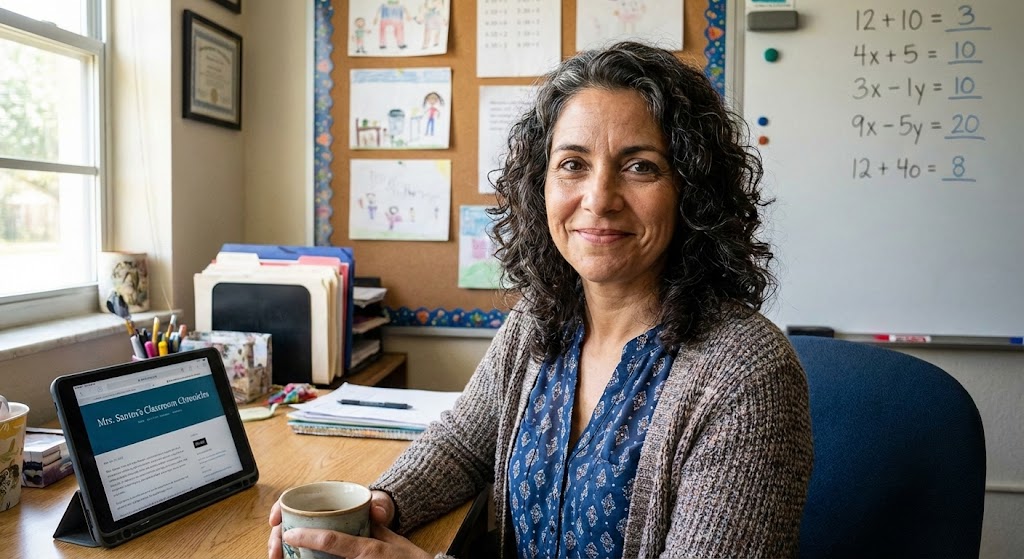
Maria Santos
Maria has been teaching 4th grade in Tampa, Florida for 22 years. Known as "the math whisperer" among her colleagues, she writes about the real challenges and victories of teaching in Florida's public schools.
When she's not grading papers or creating lesson plans, you can find Maria at her local teacher supply store (with coupons in hand) or sharing teaching tips over cafecito with her teacher friends.
View Full Profile →Related Articles
The Only 5 Apps I Actually Use (And Why Most Others Collect Digital Dust)
Classroom tech tip: Last week, my principal asked me to present at our faculty meeting about "essent...
Why I'm Not on Teacher TikTok (And That's Perfectly Okay)
Classroom tech tip: Last week, my daughter Daniela called me from college laughing. "Mom, I just saw...
Ready to Improve Your FAST Scores?
Upload your class data and get personalized IXL success plans in seconds.
Try It Free